


Cartoon Photo Editor ・Toon AI
4.2205.00 Reviews
App Specs
- Version
- 1.1.4
- Updated On
- License
- Free
- Downloads
- 1,000,000+
- Developer
- Digital Social Apps
- Categories
- Art & Design
- Platform
- Android
Screenshots
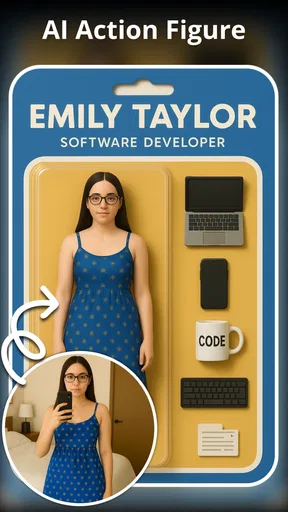
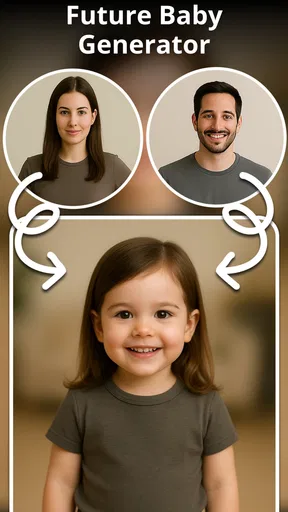
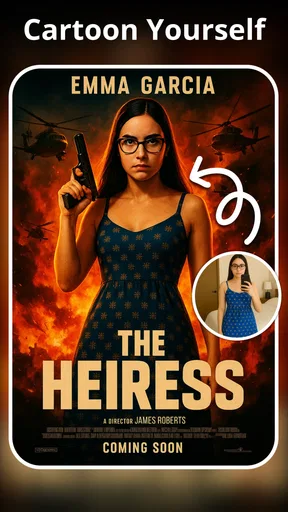
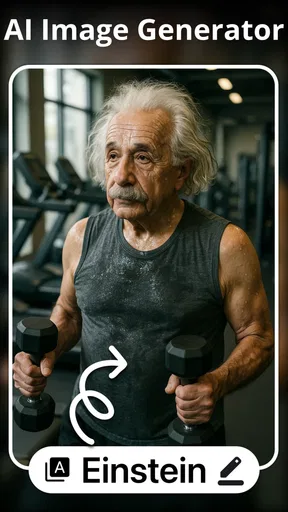
 Analysis by AppCompare
My first practical question with a cartoon-photo app is not which style looks most dramatic; it is what happens when the first image comes out oddly unlike the person in it. With Cartoon Photo Editor ・Toon AI, I’d treat the first result as a starting point, not a verdict on the photo or the app. A face turned away, a busy background, or a strong shadow can make a portrait harder for an AI effect to interpret. I get the most useful comparison by trying a clear, front-facing image first, then changing one thing at a time rather than judging several different photos and styles together.
When a portrait does not transform as expected
Small choices before editing can matter more than repeated tapping afterward. I would pick a photo where the face is easy to see, with a relaxed expression and enough light to distinguish facial features. If the result feels exaggerated, I’d try a less intense treatment; if it loses too much of the person’s likeness, I’d compare another style using the same source image. Keeping the original photo available makes that comparison fair and gives me a simple way back if an edit misses the mark.
This is especially useful for group pictures. A single image may contain faces at different angles or sizes, so an effect that looks convincing on the person closest to the camera may not suit everyone else. For a profile picture or a gift, I’d crop to one person before editing when possible, then decide whether a wider composition is worth the trade-off. The goal is not to force every image into the same look; it is to find a source photo that gives the transformation a reasonable chance.
Quick checks before spending time on an edit
Before blaming the transformation, I check the basics: the photo is actually selected, the intended image is visible in the editor, and the app has finished responding before I tap again. If a gallery image will not appear, I’d close and reopen the picker, then try a different image from the device. A simple test with another clear portrait helps separate a problem with one particular photo from a broader issue with the editing process.
It is also sensible to make sure the app is current and that the device has enough free working space for ordinary photo editing. The current version is 1.1.2, and the app is listed for Android 8.0 or later. Those details are practical checks, not a promise that every device or image will behave identically. I would avoid repeatedly selecting the same file if the screen seems stuck; give the app a moment, then restart the selection flow rather than piling up taps.
Getting Started: First Impressions
The first thing that caught my eye was the sleek and user-friendly interface of Cartoon Photo Editor ・Toon AI. Once you download and fire it up, you’re greeted with a straightforward layout that doesn’t require you to be a tech wizard to navigate. It’s an easy-to-use app that makes photo editing a breeze. Seriously, even if you’re not tech-savvy, you’ll find this app super approachable.
After opening the app, you’re immediately prompted to either snap a new photo or select one from your gallery. I went ahead and picked a few selfies because, you know, who doesn’t love a good selfie transformation?
Worth Reading Before You Choose

EA SPORTS FC Mobile 26 Is a Bigger Football Game, but It Takes Time

Flipboard Shows What News Apps Must Do Beyond the Feed

Switching to Android Auto Means Rethinking Your Driving Routine

Google Calendar Makes a Crowded Week Easier to Manage

Ludo King Makes the Most of the Minutes Between Plans

Baby Panda World Brings Quick Play to Modern Phones, but Its Game Library Feels Busy
The Cartoon Magic
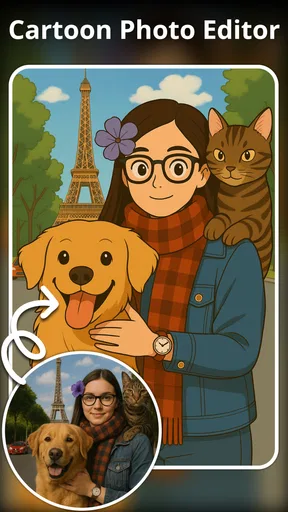
Once you upload your photo, the real magic begins. The app uses AI technology to detect features and convert your image into a cartoon masterpiece. And let me tell you, the results are impressive! The AI does a fantastic job capturing the essence of your expression and features, transforming them into whimsical cartoon versions. It’s incredibly entertaining to see yourself in a whole new animated light.
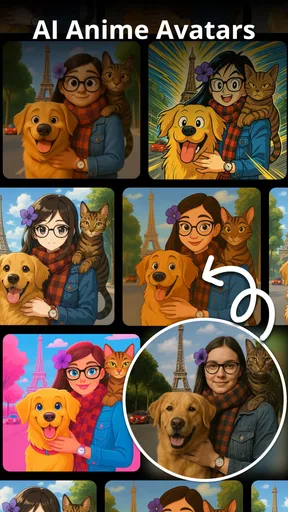
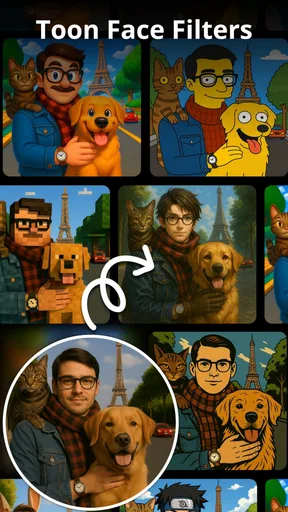
The app offers a variety of styles to choose from. You can opt for a classic cartoon look, a more detailed comic book style, or even a sketchy pencil drawing effect. Each style brings out different aspects of your photo, making it fun to try them all out and see which one tickles your fancy the most.
Making a result feel like yours
A useful habit is to decide what the picture is for before choosing a treatment. A playful cartoon portrait for a chat avatar can tolerate a bolder effect, while a keepsake or a photo shared with family may work better with a gentler look that keeps the expression recognizable. I would compare the styles at the same crop and brightness, rather than changing the picture and effect together; that makes it easier to tell which choice actually improved the result.
For a small social profile image, I’d also check the face at thumbnail size. A highly detailed effect can look lively when enlarged but become muddy when reduced, while a simpler treatment may read more clearly in a tiny circle. That is a practical reason to save the version that looks best at the size it will actually be seen, not just the one that appears most impressive on the editing screen.
Features That Stand Out
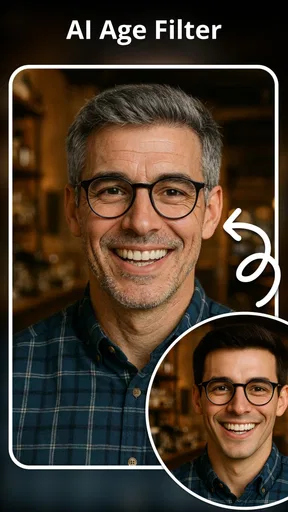
Aside from the cartoon transformations, one of the coolest features is the app’s ability to apply filters and effects. You can add vibrant colors, adjust brightness, and even apply different textures to enhance your cartoon look. It’s like having a mini Photoshop at your fingertips, minus the complexity.
Another feature that really impressed me is the ability to fine-tune the details. You can adjust the intensity of the cartoon effect, allowing for a subtle or more pronounced transformation. This customization aspect is a game-changer, as it lets you control how cartoonish you want your photos to appear.
A sensible editing workflow
When I am testing a portrait, I keep one untouched copy and work through a short sequence: choose the clearest source, compare a couple of styles, then adjust brightness or effect strength only if the result needs it. This avoids a common frustration with creative apps: losing track of which combination made the image better. If the first pass is disappointing, changing the source photo is often a more useful experiment than piling on extra effects.
For a casual group chat, I might make a cartoon version of a friend’s birthday photo and send it as a lighthearted extra rather than replacing the original. For a personal profile image, I would be more selective and check that the final crop still looks like me. These different uses call for different levels of polish. The app’s appeal is quick visual play, not a promise that every output will be ready for a formal portrait or a carefully designed print.
Sharing Your Creations
What’s the point of all this cartoon fun if you can’t share it with the world? Thankfully, the app makes it super easy to share your creations directly from the app to your social media platforms. Whether you’re posting to Instagram, Facebook, or sending it directly to a friend, the app ensures your cartoon artwork is share-ready in just a few taps.
Plus, the app maintains the quality of your photo, so you don’t have to worry about your cartoon looking pixelated or blurry when you share it. It’s all about keeping those lines crisp and those colors popping.
What to expect from the free download
The app is free to download, which makes it easy to try the basic idea before deciding whether it belongs in your regular editing routine. It also offers in-app purchases ranging from $9.99 to $199.99 per item, so I would check the purchase screen carefully before confirming anything. I would not assume that every style or editing option is included at no cost; if a feature prompts for payment, pause and decide whether that particular result is worth it to you.
For context, it is an art-and-design app from Digital Social Apps, rated for Everyone, with a 4.5 average from around 70,000 ratings and over 1 million installs. Those figures suggest that plenty of people are trying it, but popularity does not guarantee that its particular cartoon look will suit your photos. I’d judge it on a few images I actually care about, rather than treating a rating as a substitute for that test.
When another editor is the better fit
This app makes sense when the goal is a fast, stylized portrait without learning a complicated editing workflow. Compared with a general-purpose photo editor, its cartoon-focused approach is more direct and playful, but it is not the choice I’d make for precise retouching, layered design work, or carefully controlled color correction. A broader editor is better when I need detailed control over separate parts of an image; a simple filter app may be quicker if I only want an overall color change.
I would also skip it when the source photo itself needs substantial repair. A cartoon effect cannot reliably substitute for fixing a badly framed shot, recovering a face lost in shadow, or choosing a more flattering expression. For those jobs, I’d first use a camera or editor that addresses the underlying photo, then bring a clean portrait into a cartoon app if I still want the illustrated finish.
Getting unstuck without over-editing
If an edit looks wrong, I find it helpful to step back in a predictable order: return to the original image, choose a clearer crop, test another style, and only then adjust the effect or brightness. That keeps the process reversible and makes the cause of a better result easier to spot. If the app closes or stops responding, reopening it and starting with one image is a more useful first try than repeatedly sending the same selection through the workflow.
If the same issue happens with several clear photos, I would check that the app is updated, restart the device, and try again when the phone is not busy with other tasks. If only one image causes trouble, I would use another copy or a different photo. These are general troubleshooting steps, not a guarantee that every technical problem can be fixed locally; they simply help identify whether the snag is tied to one picture or to the app session.
Who will enjoy it most
I can see this being a good fit for someone who wants a cheerful avatar, a quick joke for a group chat, or a playful way to give a familiar selfie a different mood. It is also approachable for people who do not want to learn a full photo-editing tool just to try an illustrated look. A useful everyday scenario is choosing a clear selfie during a quiet moment, testing a few treatments, and keeping the most recognizable version for a profile or sending it to a friend for a laugh.
On the other hand, people who need consistent likeness across a batch of portraits, precise professional output, or extensive manual controls may find the app too specialized. Anyone uncomfortable with optional in-app spending should be cautious around purchase prompts and stick to trying what is available without paying. Its age rating is Everyone, but that speaks to the content rating, not whether the editing style or purchase model will suit every person’s preferences.
Final Thoughts
All in all, Cartoon Photo Editor ・Toon AI is a delightful app that adds a fun twist to your photos. It’s perfect for anyone looking to spice up their social media feed or just have a laugh with friends. The combination of ease of use, variety of styles, and the ability to customize your cartoon look makes it a must-try app for photo enthusiasts of all ages.
Whether you’re a casual user or a photo editing aficionado, this app offers a playful and creative outlet that’s sure to keep you entertained. So go ahead, give it a whirl, and step into your very own cartoon world. Trust me, you won’t be disappointed!
My practical verdict
I’d recommend giving it a try if you want a quick cartoon treatment and are happy to experiment with the source photo and style until the likeness feels right. I would not choose it as my only photo editor, and I would not pay for an option before checking how the free experience fits my needs. The best results come from treating it as a focused creative tool: start with a clear portrait, make small comparisons, and keep the original untouched.
That balance is what makes the app worth considering. Its straightforward approach lowers the barrier to playful edits, while the narrow purpose means it cannot replace a more capable editor when accuracy and control matter. If your aim is a fun avatar or an amusing share, it can be a pleasant addition to your phone; if your aim is polished, repeatable portrait work, I’d look elsewhere first.
Pros
- Intuitive interface for easy navigation.
- Wide range of cartoon effects available.
- Quick processing with AI technology.
- Supports high-resolution image exports.
- Regular updates with new features.
Cons
- Limited free features
- many require purchase.
- Occasional ads disrupt user experience.
- Performance issues on older devices.
- Requires internet for certain functions.
- Some effects take time to render.
FAQs for Cartoon Photo Editor ・Toon AI
What is Cartoon Photo Editor ・Toon AI used for?
Cartoon Photo Editor ・Toon AI is an app that transforms your photos into cartoon-like images using advanced AI technology. It offers a variety of styles and filters to give your pictures a unique, artistic look. Perfect for social media enthusiasts and anyone looking to add a creative twist to their photos.
Is Cartoon Photo Editor ・Toon AI free to use?
The app is free to download and offers a selection of basic features at no cost. However, some advanced filters and styles may require in-app purchases or a subscription. Users can explore the free options before deciding if the premium content is worth the investment.
Which devices support Cartoon Photo Editor ・Toon AI?
Cartoon Photo Editor ・Toon AI is available for both Android and iOS devices. Make sure your device is running the latest operating system to ensure optimal performance. Check the app’s page on Google Play or the App Store for specific compatibility details.
How user-friendly is Cartoon Photo Editor ・Toon AI?
The app is designed with an intuitive interface, making it user-friendly for all ages. Simple navigation and clear instructions allow even those with minimal technical skills to easily edit their photos. The app also includes tutorials to help you make the most of its features.
Are there any privacy concerns with Cartoon Photo Editor ・Toon AI?
Cartoon Photo Editor ・Toon AI respects user privacy. Photos are processed locally on your device, minimizing data sharing. It’s important to review the app’s privacy policy to understand how your data is handled. Regular updates help maintain security and improve user experience.


